Bread takes time.
Knead keeps track of it.

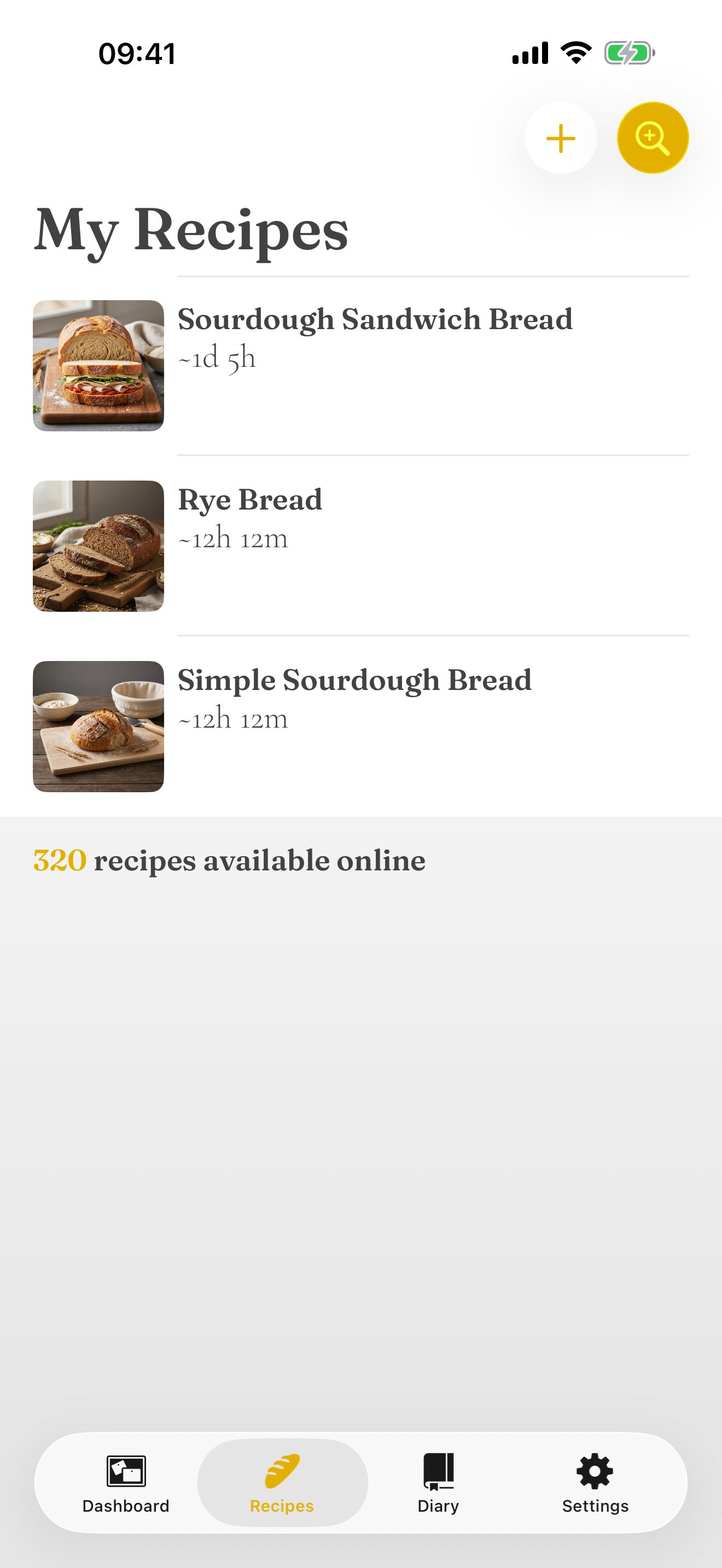
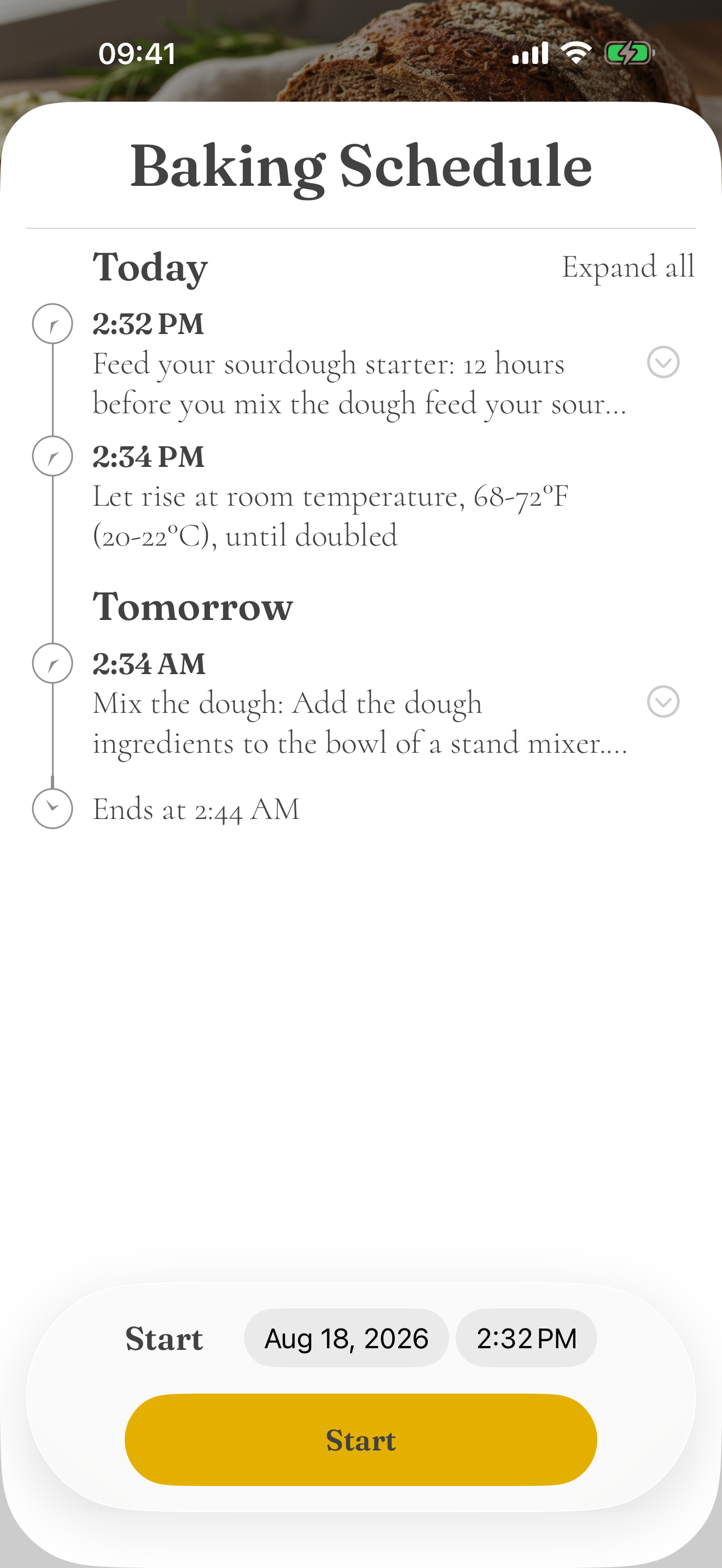
Bread is mostly waiting. The schedule shows you when it isn't.
Pick a start date and time and Knead walks the whole recipe forward — every feed, rise, fold and rest — then tells you when the loaf comes out. Before you commit an afternoon, you can see which hours the dough will actually want you.
Country sourdough — started Saturday, 8:00 pm
Ends Sunday, 5:43 pm · 21 h 43 m end to end · 1 h 25 m of it hands on, none of it after 11 pm
10 m
Overnight, while you sleep
20 m
3 folds, 2 minutes each
15 m
Nothing asked of you
50 m
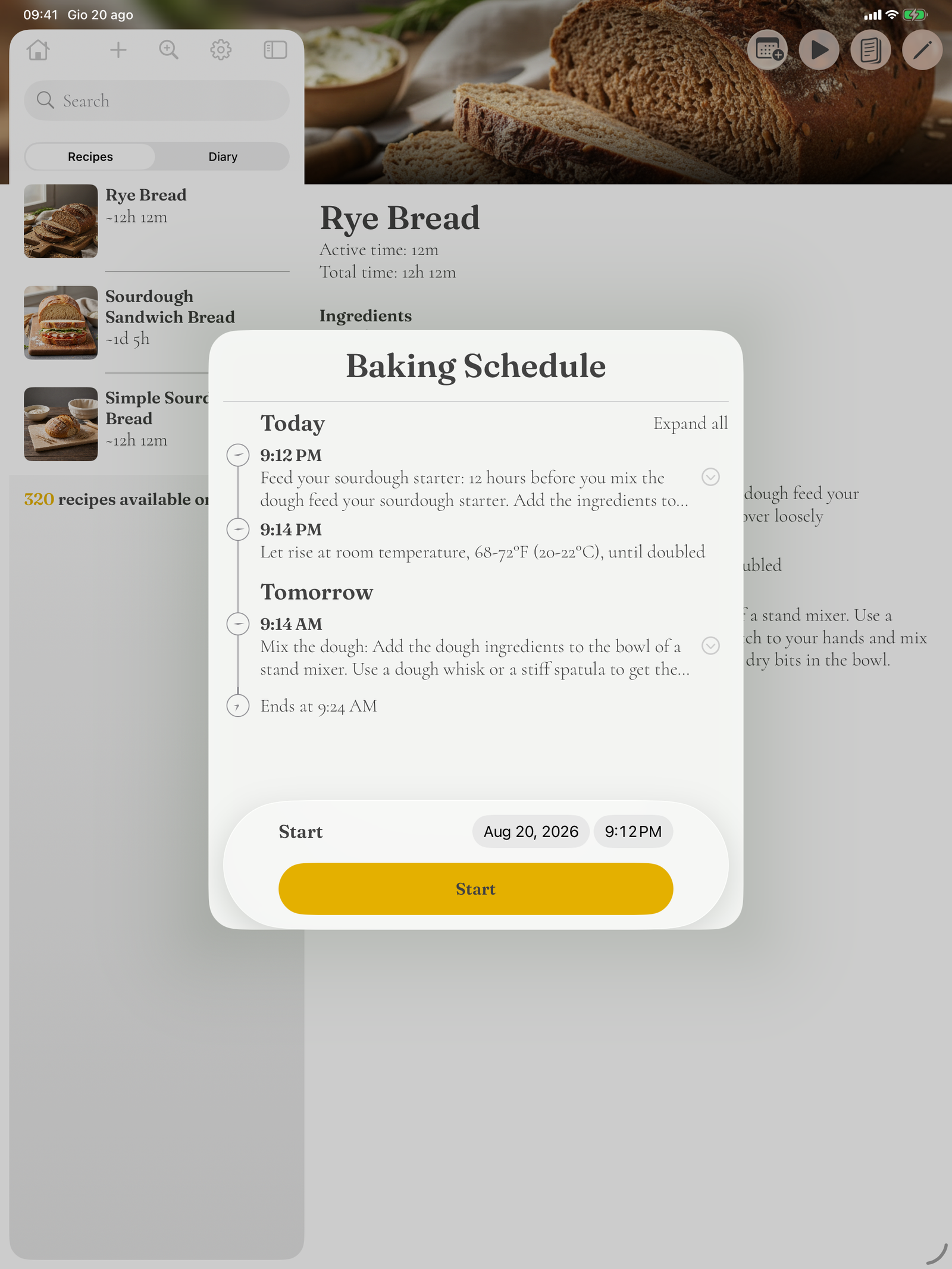
Move the start, watch the day move
Change the start date or time on the schedule and every step slides with it, right through to Ends at. Tap Expand all to read the full instruction behind each timing.
Grouped by Today and Tomorrow
Long bakes cross midnight, so the schedule is split by day rather than by hour count. A 2:34 am fold is easier to notice — and to plan away from — when it's sitting under Tomorrow.
Alarms carry the waiting
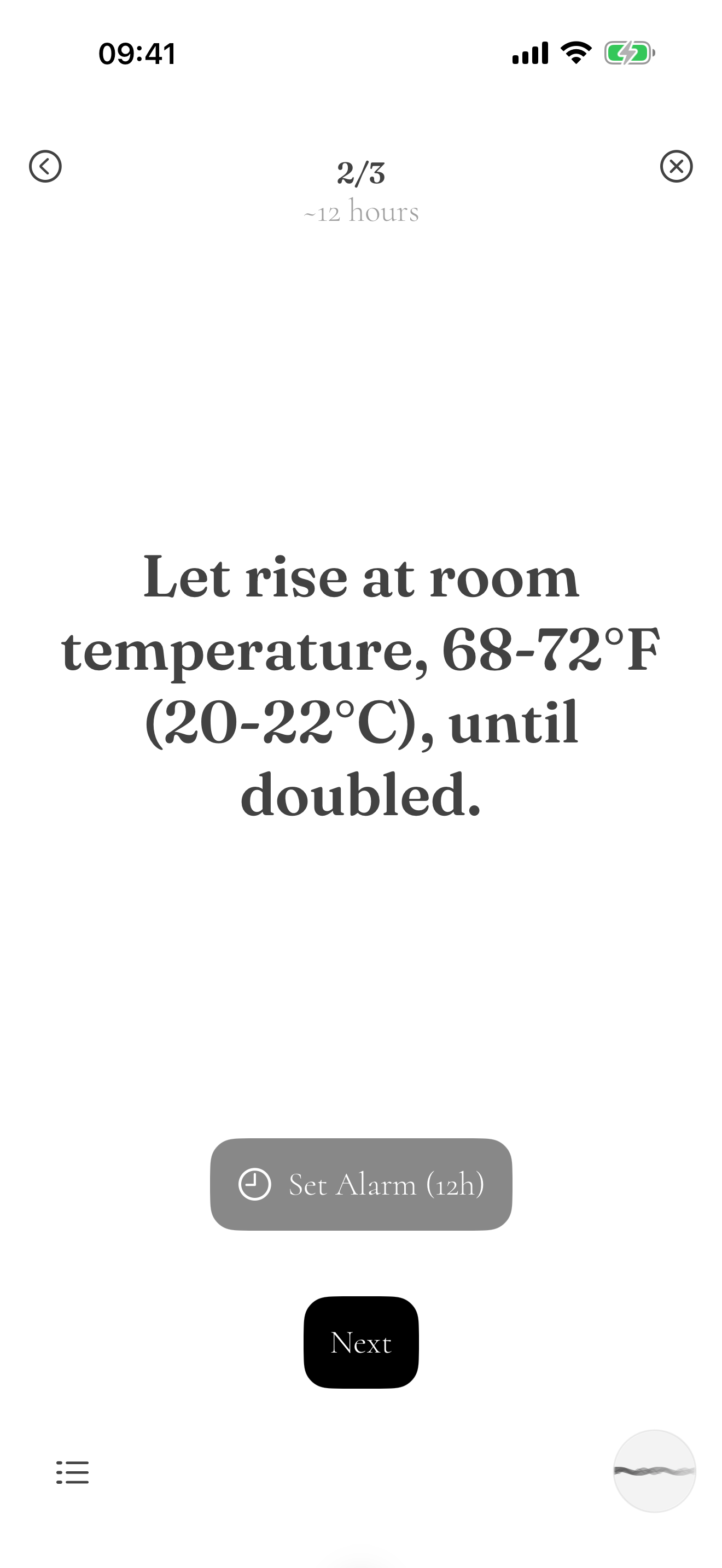
During a bake, each timed step offers Set Alarm for exactly its duration. If a reminder never sounded, allow notifications for Knead in Settings — that's the culprit nine times out of ten, not the starter.
One instruction at a time, read aloud when your hands are full
Start a bake and Knead drops the recipe away, leaving the step you're on: what to do, how long it takes, and nothing else to scroll past with floury fingers.
Ask out loud, listen from across the kitchen
Tap the waveform in the corner and the session takes voice: "read that again", "how long", "next step". Knead speaks the instruction back, so you can keep both hands in the dough.
Where you are, always in view
The header carries the step count and the time this step still needs — 2/3, about 12 hours — and Set Alarm underneath is already loaded with that exact duration.
Leave and come back
Close the session and the bake stays where you left it. The list icon at the bottom opens the whole method if you'd rather read ahead, then returns you to the current step.
Getting a recipe off the web and into your library
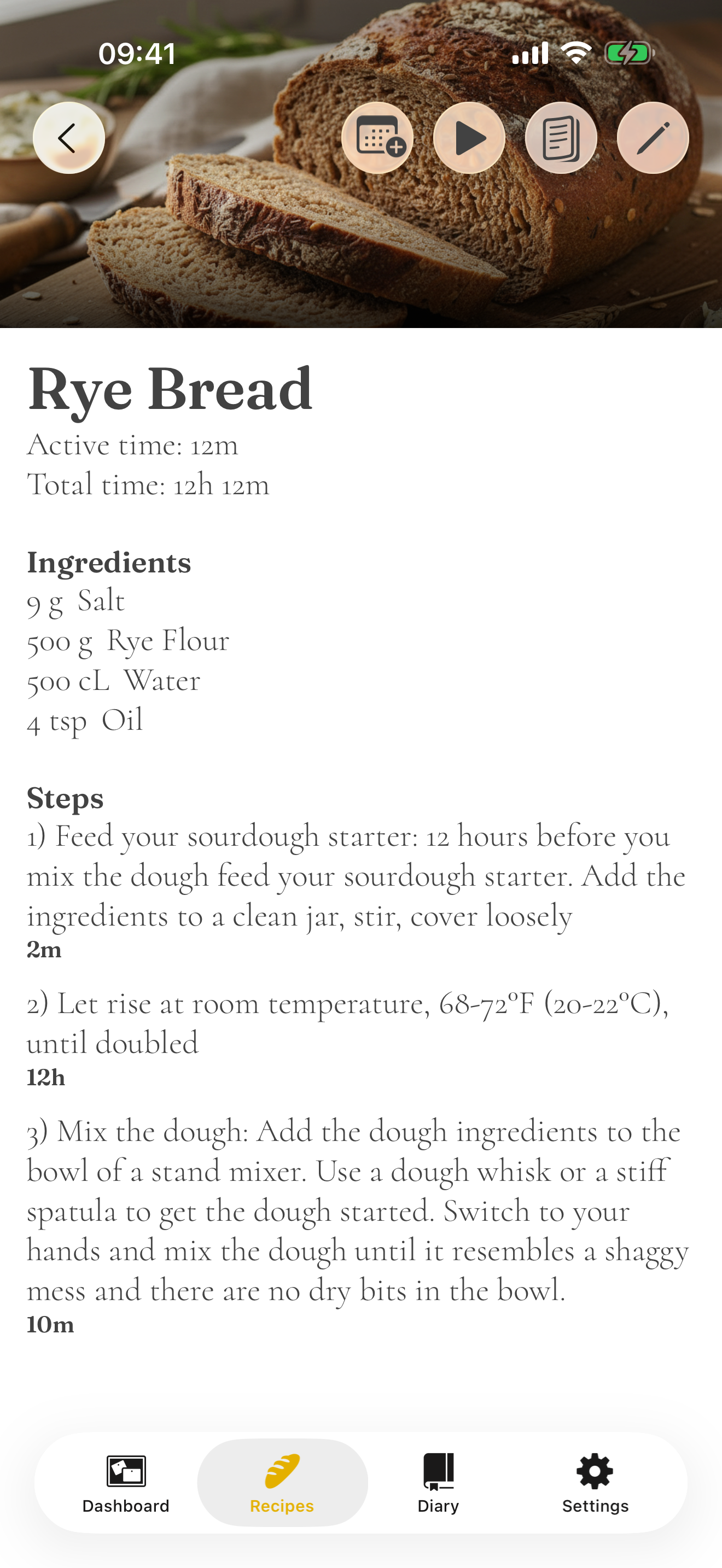
Knead reads the ingredients, the method and the durations hiding in the prose — "rest 45 minutes" becomes a step the schedule can place.
Search without leaving Knead
Type what you want to bake into Knead's own search and open the results in the in-app browser. When you land on the recipe, Import pulls it straight into your library — no share sheet, no copying links.
Share the page to Knead
In Safari, tap Share and choose Knead. This works better than pasting a link, because some sites only reveal the recipe once the page has loaded in a browser.
Or insert manually
Cookbook photographed, blog behind a login, family card in a drawer: copy or type the ingredients and method into the paste field and Knead parses it the same way.
Every loaf remembers what you did differently
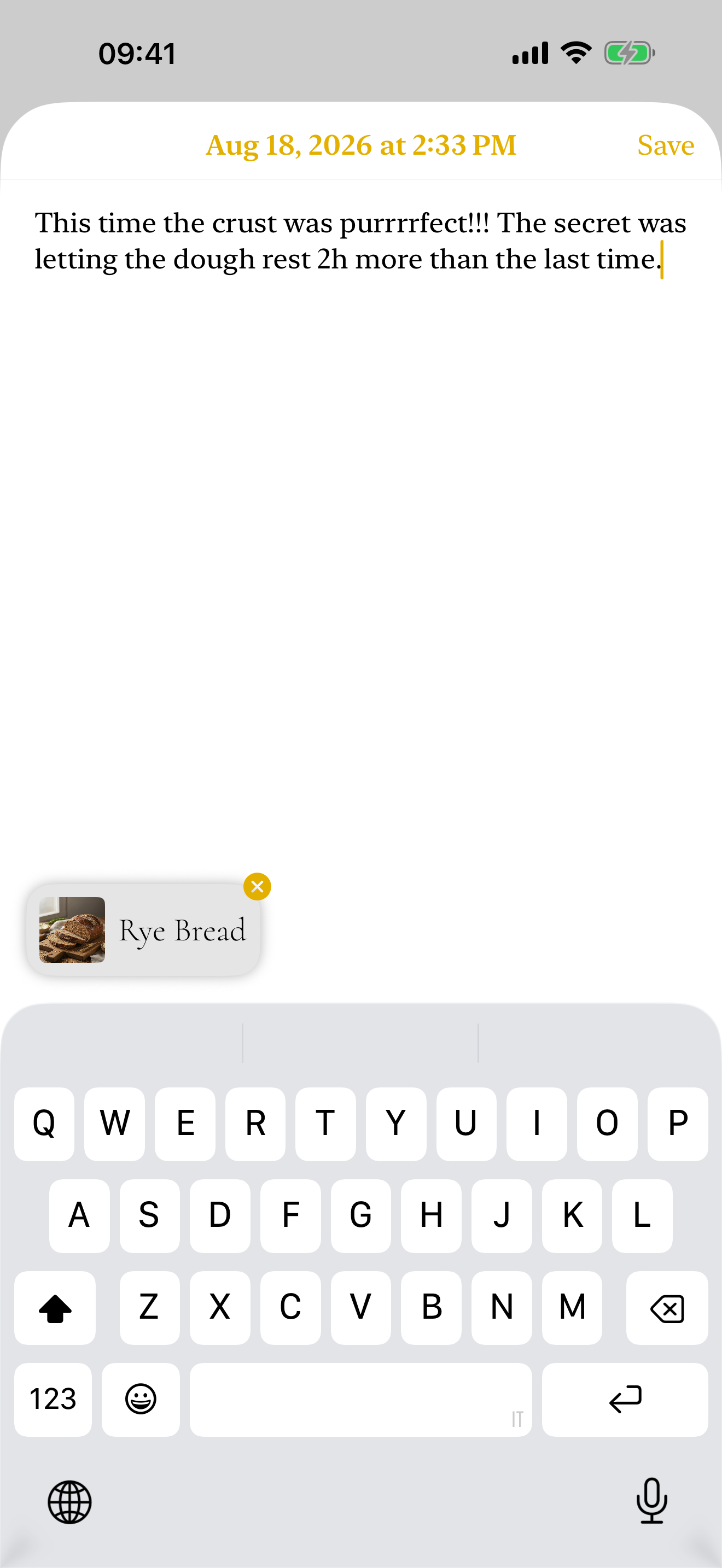
Baking the same recipe twice never gives you the same bread. The diary is where you write down why — a note per bake, attached to the recipe it came from.
A note, dated and attached
Finish a bake and Knead offers you an empty page stamped with the date. Write as much or as little as you like — the recipe it belongs to is already clipped to the entry.
Read the last bake before the next one
Open any recipe and find a link to its its past entries, newest first. Two hours more rest, a hotter oven, less water in August — the correction is there when you start again.
Yours, and only yours
Entries stay on your device and sync through your own iCloud account, so the diary follows you from iPhone to iPad without passing through us.
Knead for iPhone and iPad
Requires iOS or iPadOS 26 and later. Your recipes and diary live on your device and sync privately through your own iCloud account — we never see them.
Free to try · subscribe to for full features
Get in touch!
Expect a reply within two working days, usually sooner. Prefer mail? support@kneadbread.app reaches the same two people.
What helps us answer in one reply
- Your device and the version at the bottom of Settings
- For import trouble: the recipe link you tried
- For schedule trouble: a screenshot of the timeline
- What you expected the dough — or the app — to do instead